
Reply rate benchmark
Enter how many applications you sent and how many got any reply; see your own reply rate next to your field's median. No sign-up, no email.
Open the benchmark tool →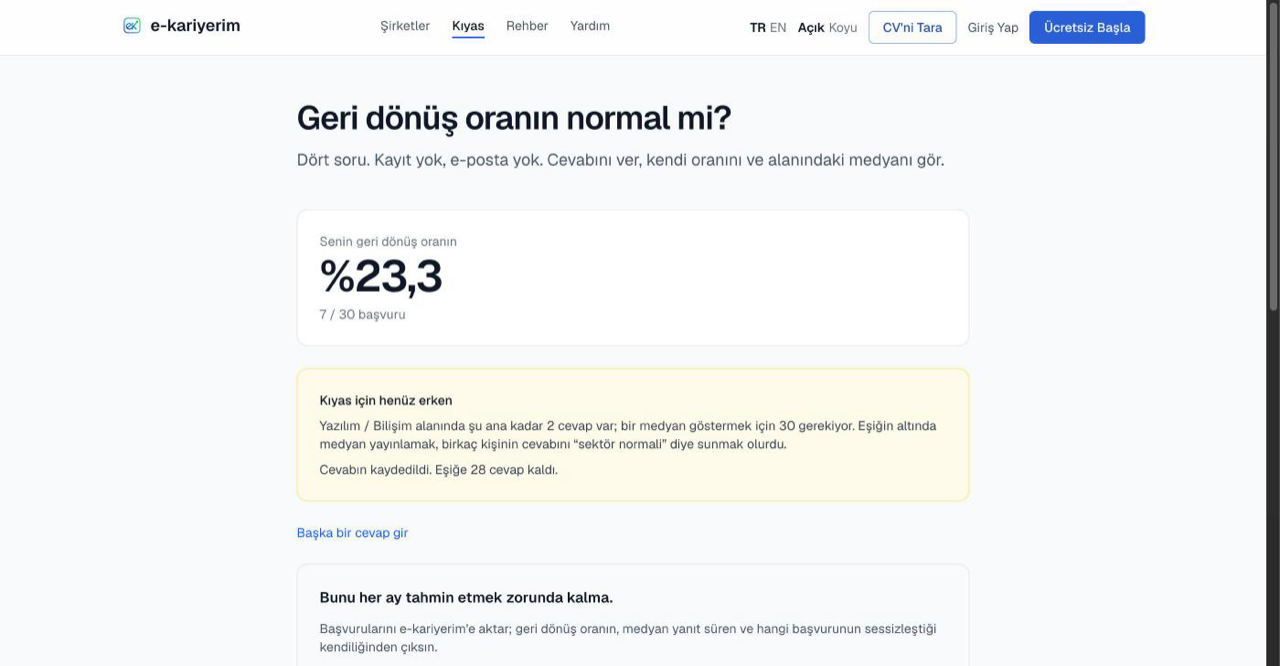
How to use it
- 1
Enter the two numbers
How many applications you sent in the period you pick, and how many of them got any reply (rejections included).
- 2
Pick your field and the period
The sector comes from a fixed list; seniority and location are optional. No free text is collected.
- 3
Read the result
Your own rate, your field's median and what share of respondents sit below you. Your answer joins the pool anonymously and feeds the next person's median.
Median, not average
Because answers are anonymous, the same person can answer more than once or send a deliberate outlier; a median barely moves, an average does. The number comes only from what people typed into this form; it is never mixed with the application data the product collects.
When the median is withheld
A field's median is not shown until that field has enough answers; the threshold is stated in the tool's own "Where does this number come from?" section. If your field is below it, the overall median is shown, clearly labelled as such. If no median has opened yet, the result shows step by step which median opens at how many answers. Answers for short periods tend to look low: recent applications may not have had time to be answered.
No identity is kept
If you have an account