
Note jobs you haven't applied to yet
Tracked Jobs is a lightweight watchlist for jobs you're interested in but haven't applied to yet. Unlike an Application, it has no status, timeline, or employment type — just company, title, location, job URL, and your notes.
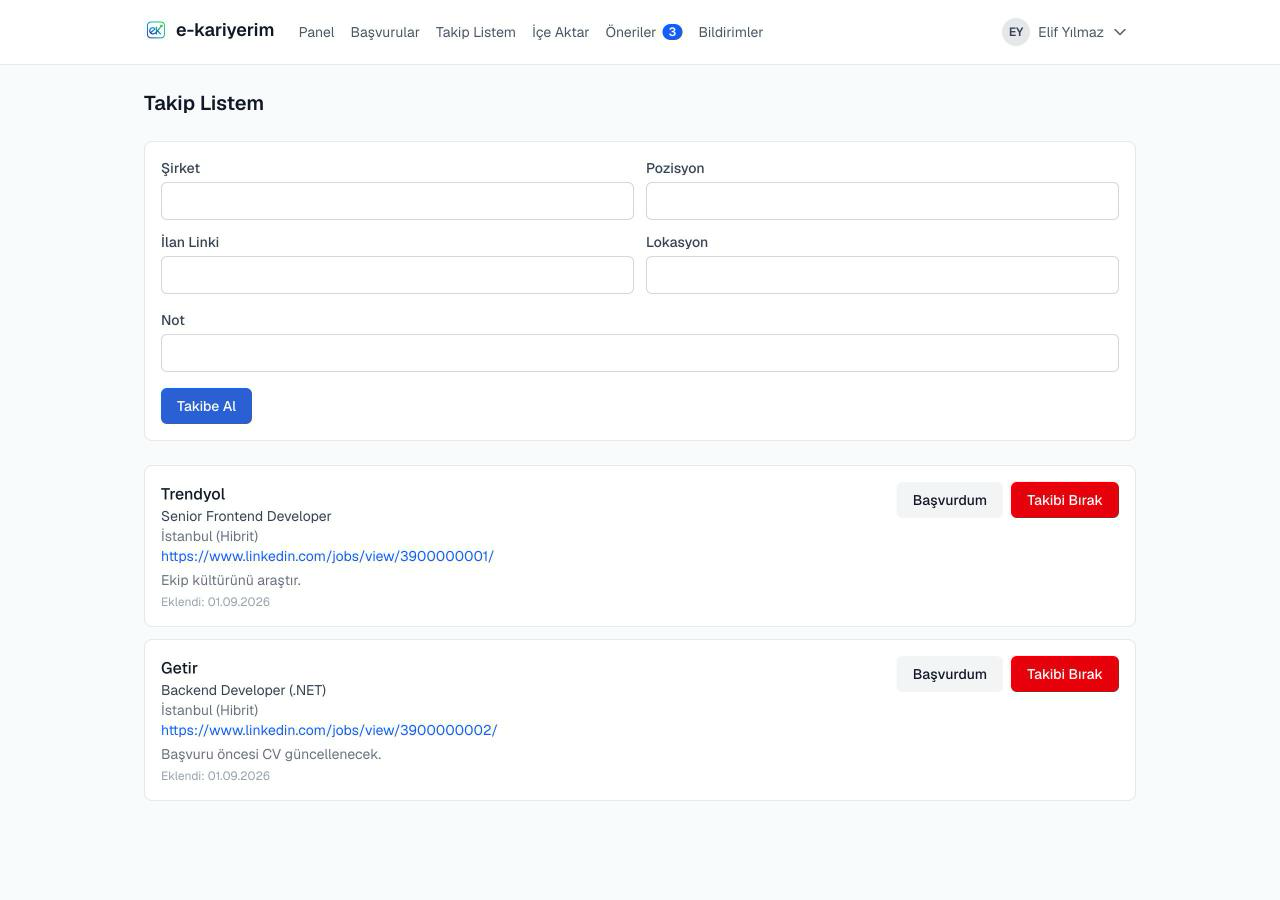
Track a job
- 1
Open "Tracked Jobs"
Available from the top navigation.
- 2
Enter the company name and job title
Optionally add the location, job URL, and your own notes.
- 3
Save it
The job appears in your list with the date it was added.
Once you apply: "Mark as Applied"
- 1
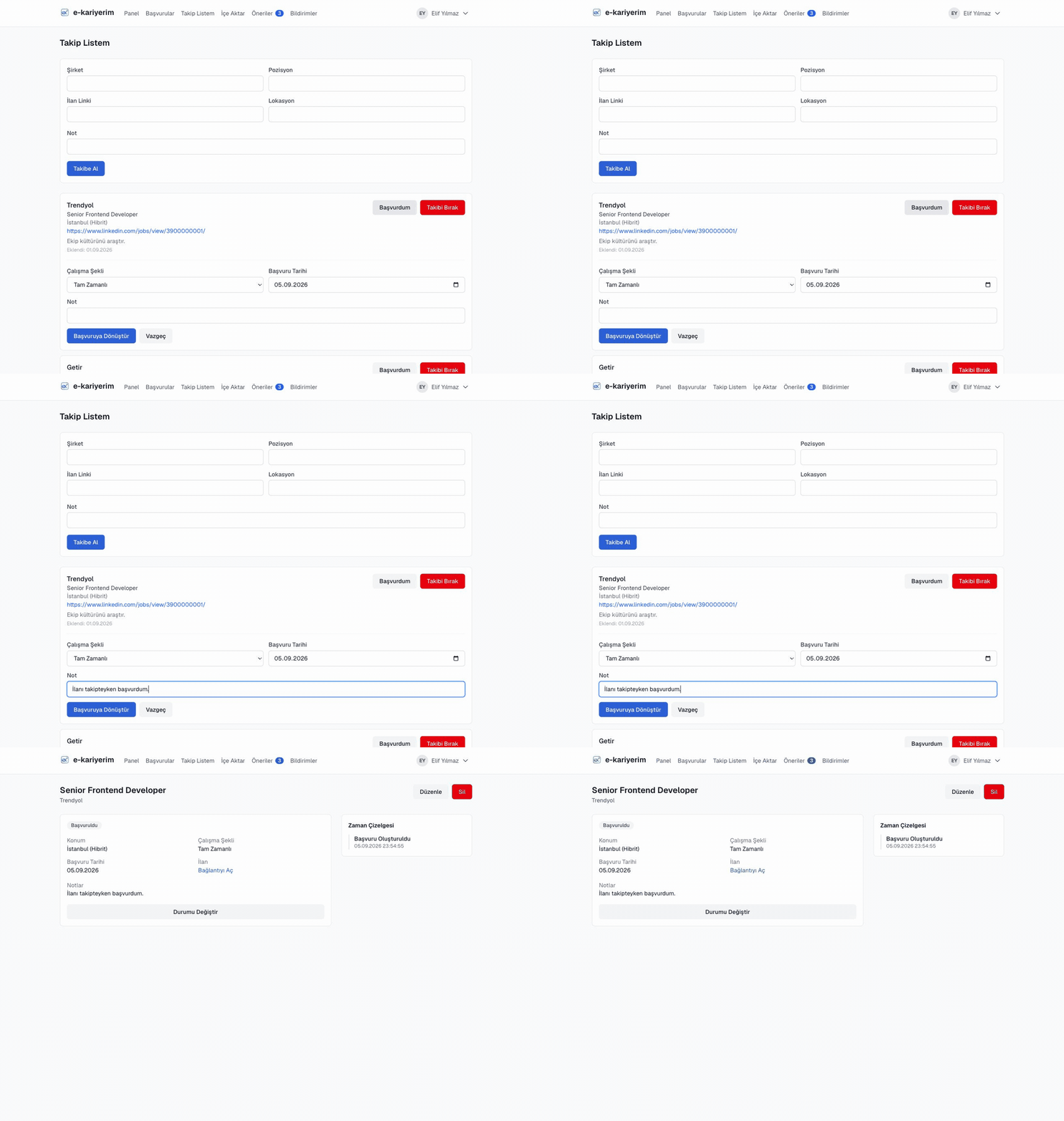
Click "Mark as Applied" next to the job
This opens a small inline form.
- 2
Enter the employment type and applied date
You can add extra notes too.
- 3
Confirm
The job is removed from your tracked list and created as a real Application — you're taken straight to its detail page.
Remove a job
If you're no longer interested, "Remove" deletes it from the list permanently.
Saving from the extension
There's no direct edit