
CV Scan
Applicant tracking systems (ATS) turn your CV into text first. This tool shows what an applicant tracking system can read from your file and gives a 0-100 readability score. No account needed.
Open the CV Scan tool →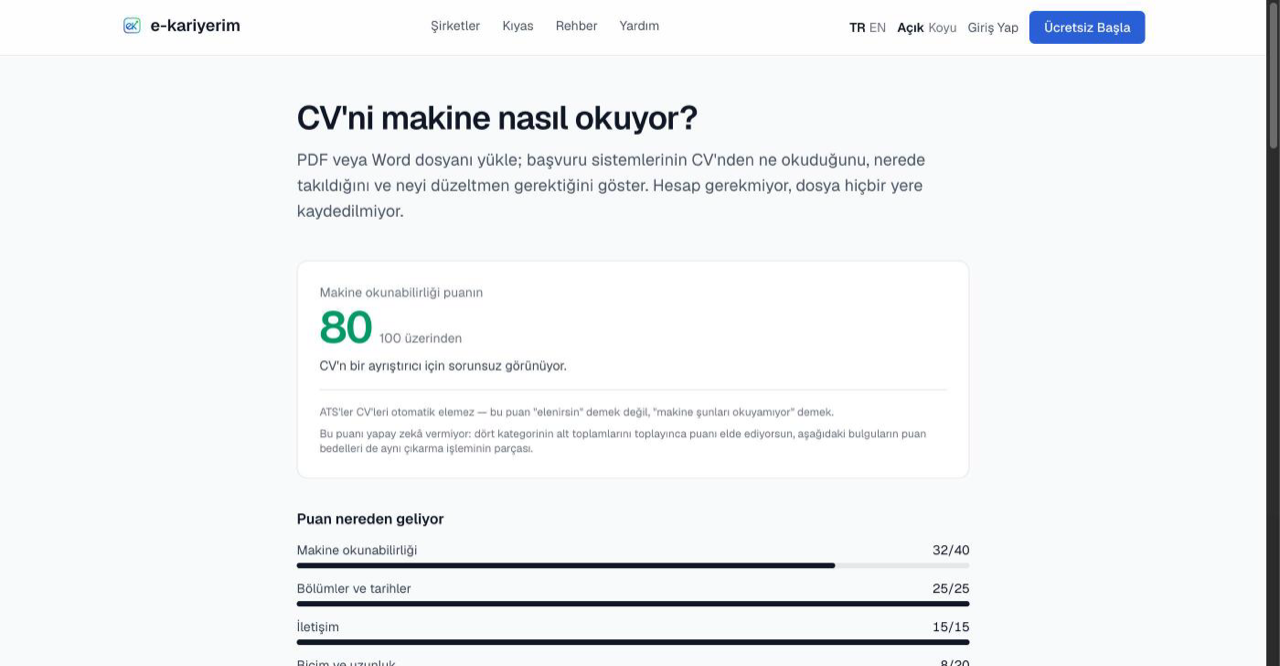
How to use it
- 1
Drop your file
PDF, DOC or DOCX, up to 5 MB. Drag the file in or pick it.
- 2
Tick the consent box
Consent is asked for every scan; the box never comes pre-ticked. A second, optional box asks for notes on the writing — the scan works fully and the score is identical without it.
- 3
Read the result
How the score splits across four categories, the raw text extracted from the file (in the order the parser saw it) and a fix list saying which page, which line and how many points each finding costs.
What it measures
Four headings: text readability, sections and dates, contact details, format and length. These are every parser's shared problems: if no text comes out, dates don't line up or the contact block looks empty, your CV goes missing in searches.
What it doesn't
It doesn't match you to a posting and gives no keyword score; it doesn't imitate any particular ATS; it says nothing about how you describe your experience. A claim like "you're a 64% match for this job" would be something we can't measure.
What happens to your file
Scan limit