
Salary information
What people earn at a company — anonymous reports from people who worked there, with an occupation picked from a catalogue and an experience band. Reading and writing both need sign-in.
Reading salaries
- 1
Sign in
Salary entries are only shown to signed-in users. The Salaries tab on a company page shows you the sign-in first if you are not, then brings you back to the same tab.
- 2
Open the Salaries tab on a company page
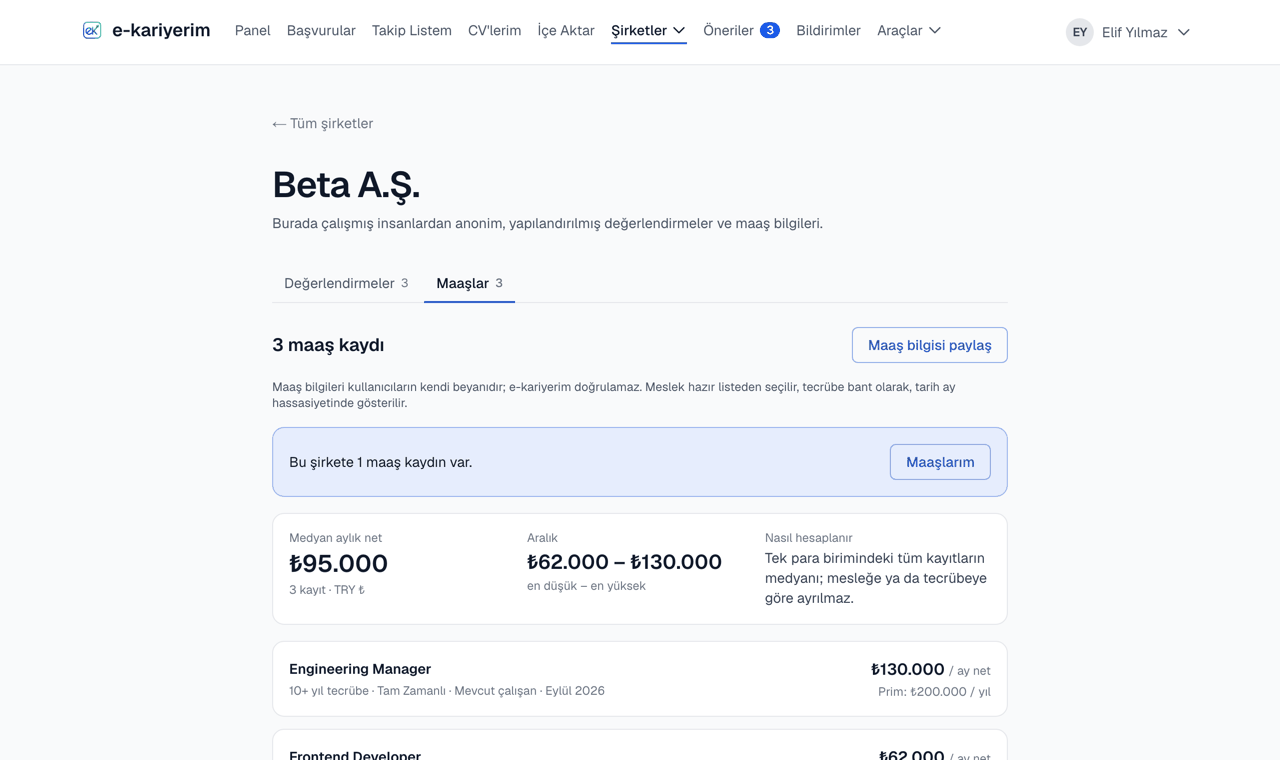
Each entry is one row: occupation, experience band (0–1, 2–4, 5–9, 10+ years), employment type, current or former employee, the period the salary was drawn in (e.g. 2021 – ongoing) and the monthly net amount; the annual bonus if any. Nobody sees the author.
- 3
Know how to read the median
Once a currency has enough current entries, the median and the lowest–highest range appear at the top; until then there are only rows. Entries current within the last two years count; older periods sit separately at the bottom of the list and do not affect the median. The median is not split by occupation — it is the middle of the current entries at a company.
Sharing a salary
- 1
Open the contribution page
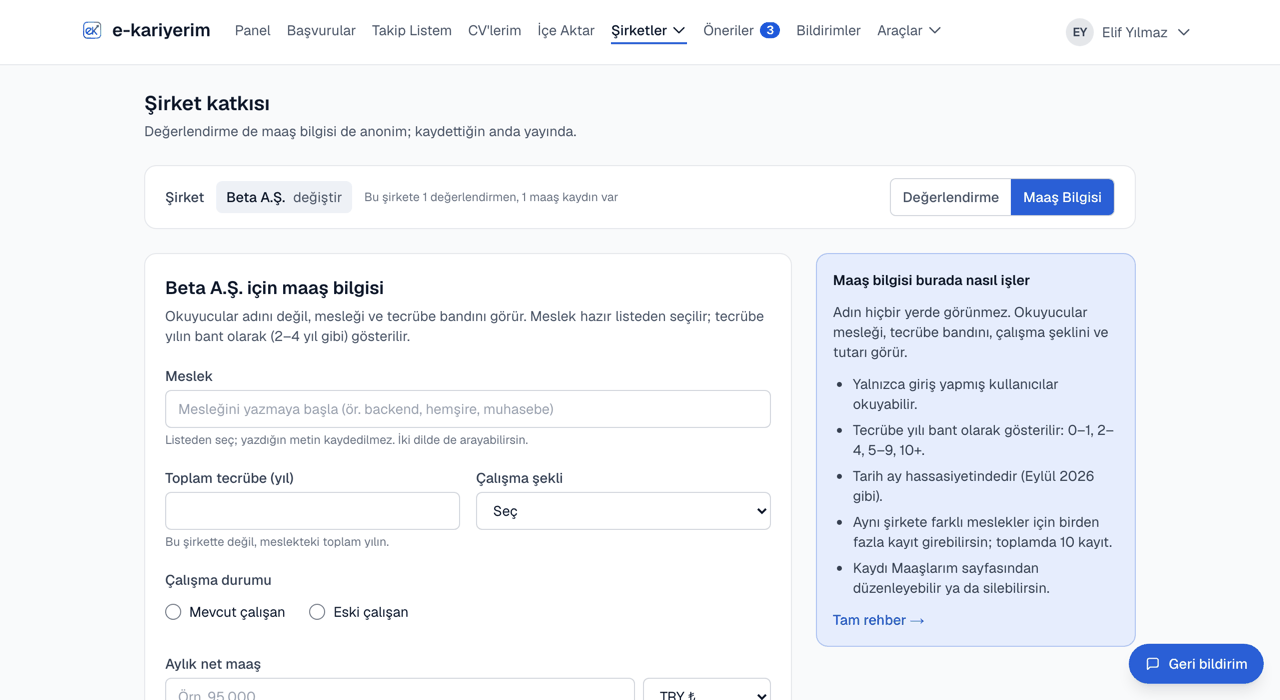
In the top menu, Companies ▾ → Share salary, or the "Share a salary" button on a company page. Reviews are written on the same page; the switch at the top moves between the two.
- 2
Pick the company
The company is picked once and applies to both forms. If yours is not listed, type its name to add it.
- 3
Fill in the form
Occupation, total years of experience, employment type, current/former employee, the period you drew the salary in (years only; the last year too if you are a former employee), monthly net salary with currency, bonus or not — all required. The occupation is picked from a catalogue: start typing, find it by its Turkish or English name and pick it from the list; no entry can be made for an occupation that is not in the catalogue.
- 4
Share
The entry is visible to signed-in readers immediately. You are then invited to review the same company; you can skip that.
Where you sit in the band
When you save a salary, and on your entry under My contributions, you see where it sits in the company's current band: a bar from the lowest to the highest amount with the median and yours marked on it, and how far from the median you are in percent. The band is made of the company's entries in the same currency from the last two years, across all roles, and includes yours. Nobody's individual amount is shown and you are not ranked against anyone. The view opens at 5 current entries — above the 3 that open the band on the company page — because with fewer, the lowest, median and highest amounts could give away other people's salaries.
The "Accepted application" label
This label next to a salary says its author tracked an application to that company on e-kariyerim that ended "accepted", added at least 14 days before the entry. Only an accepted application counts: having applied somewhere does not show you worked there. The label does not verify the amount and does not show which application it is. Your own entries show whether they carry it on the My contributions page.
Entries are anonymous
One entry per occupation, up to three per company
Editing and deleting
The My contributions page shows every entry you shared with its full figures, in the same list as your reviews and experiences. Edit changes the amounts and the period; Delete removes it entirely. An entry shared before the period was asked is listed under "previous periods" until you edit it.